Your website is often your first impression—and in most cases, your most important sales asset. But over time, even the best websites start to feel outdated, slow, or ineffective.
That’s where the confusion begins:
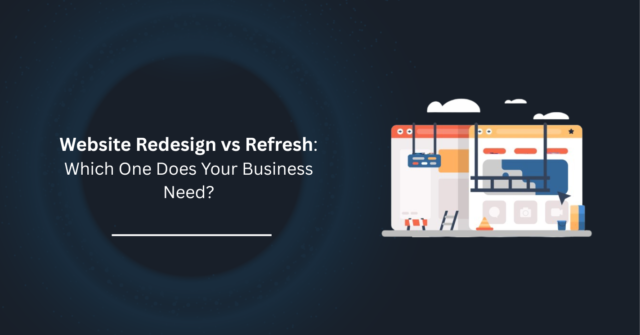
Do you need a full website redesign… or just a refresh?
Choosing the wrong option can cost you time, money, and missed opportunities. In this guide, we’ll break down the difference between a website redesign vs refresh, so you can make the right decision for your business.
What is a Website Redesign?
A website redesign is a complete overhaul of your site—from structure to design to functionality.
This isn’t just about changing colors or updating text. It involves rebuilding your website with a new strategy, layout, and often a new technology stack.
If you’re struggling with performance or conversions, our website redesign services can completely transform your online presence.
A redesign typically includes:
- New layout and structure (UX/UI)
- Updated branding and visual identity
- Improved user journey and conversion flow
- New or rebuilt pages
- Performance and speed optimization
- SEO restructuring
- Possibly a new CMS or platform
Think of it as rebuilding your website from the ground up.
What is a Website Refresh?
A website refresh is a lighter update focused mainly on improving the appearance and minor performance issues—without changing the core structure.
You keep the foundation, but polish what’s already there.
A refresh usually includes:
- Updated colors, fonts, and visuals
- Improved images and graphics
- Minor layout tweaks
- Content updates (copy, CTAs)
- Speed improvements (basic optimization)
- Fixing small UX issues
Think of it as giving your website a facelift, not a rebuild.
Signs You Need a Full Redesign
Let’s be blunt—if your website has these issues, a refresh won’t save it.
- Your Website Looks Outdated
If your site feels like it belongs in 2015, visitors will notice, and they’ll leave. - Poor User Experience (UX)
Confusing navigation, broken flows, or hard-to-find information = lost conversions. - Not Mobile-Friendly
If your site doesn’t work perfectly on mobile, you’re already losing a huge chunk of traffic. - Slow Load Speeds
A slow website kills both SEO and user trust. - Low Conversion Rates
Traffic is coming, but no leads or sales? Your structure is likely the problem. - Difficult to Manage Backend
If updating content feels like a headache, your CMS or setup needs rethinking. - Business Has Evolved
If your services, audience, or positioning changed, your website must reflect that.
Reality check: If you relate to 3+ of these, you need a redesign, not a refresh.
Signs a Refresh is Enough
Now let’s be practical—you don’t always need to start from scratch.
- Your Website Structure Still Works
Users can navigate easily, and your pages make sense. - Branding Feels Slightly Outdated
You just need visual improvements, not a full identity shift. - Content Needs Updating
Your messaging has evolved, but the layout still supports it. - Minor UX Improvements Needed
Small tweaks can improve conversions without rebuilding everything. - Performance is Decent
Your site loads reasonably fast but could use some optimization.
Bottom line: If your foundation is solid, a refresh can deliver quick wins.
Cost Difference
Let’s talk numbers—because this is where most decisions are made.
Website Refresh
- Lower cost
- Faster turnaround
- Ideal for short-term improvements
Website Redesign
- Higher investment
- Longer timeline
- Bigger long-term ROI
Brutal truth: A cheap refresh on a broken website is wasted money.
A strategic redesign pays for itself.
Process Difference
Website Refresh Process:
- Audit current design
- Identify quick improvements
- Update visuals and content
- Optimize performance
- Launch
Timeline: Days to a couple of weeks
Website Redesign Process:
- Deep audit & strategy
- Wireframing & UX planning
- Design system creation
- Development
- Testing & optimization
- Launch & iteration
Timeline: Weeks to months (depending on complexity)
Final Thoughts: Which One Do You Need?
Here’s the simplest way to decide:
- If your website is structurally broken → Go for a redesign
- If your website just looks outdated → Go for a refresh
Don’t guess—make a decision based on data, performance, and business goals.
Ready to Fix Your Website?
At A4Aura, we don’t just “make websites look better”—we build websites that convert, perform, and scale with your business.
Whether you need a full redesign or a quick refresh, we’ll audit your site and give you a clear, honest recommendation.